Futuristic HUD Interface Template: Design and Use Cases
Heads-Up Displays have moved from military cockpits and sci-fi films into everyday digital products. A Futuristic HUD Interface Template gives you a ready-made visual language for dashboards, game overlays, control panels, and simulation tools. Instead of building every element from scratch, you start with a design system that already communicates speed, data density, and high-tech aesthetics. The template is fully editable, color customizable, and includes EPS source files so you can adapt it to your exact needs without starting from zero.
Understanding who benefits from a HUD template and how they apply it makes the difference between buying a generic asset and finding a tool that actually accelerates your work. Different people evaluate the same template based on very different priorities. Here is what matters depending on your role, experience level, and project type.
What Makes This Template Different from Standard UI Kits
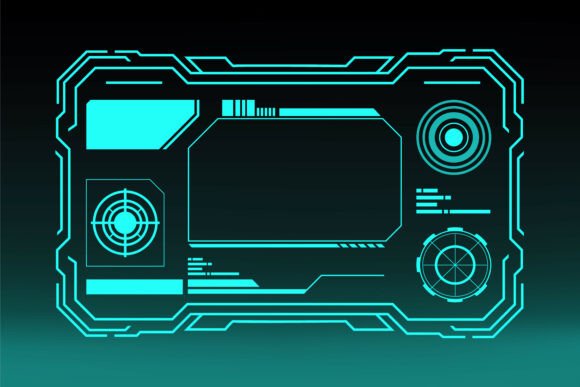
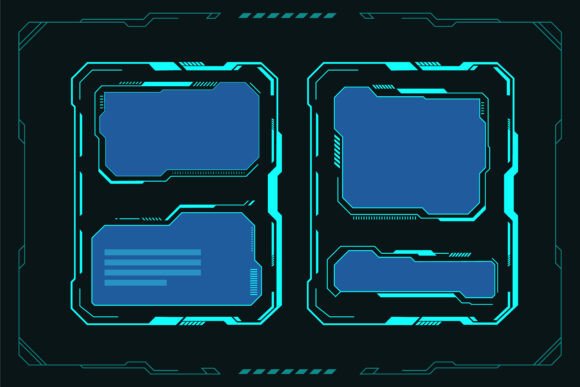
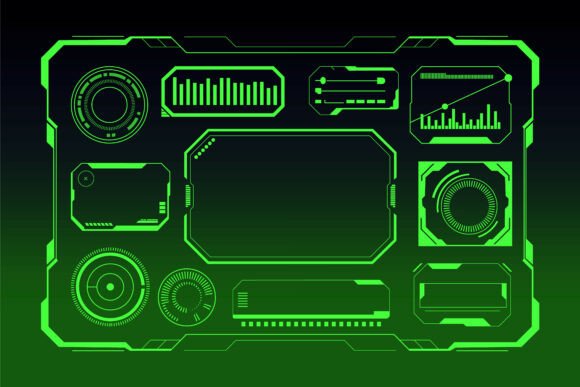
A typical UI kit might include buttons, forms, and navigation bars. A Futuristic HUD Interface Template focuses on data visualization, heads-up information layers, and control interfaces that feel like they belong inside a cockpit or a next-generation operating system. Elements often include targeting reticles, status bars, radar displays, notification nodes, and holographic-style panels. The design language is angular, glowing, and layered — often with translucent surfaces and neon accents.
The green neon display variant adds a classic cyberpunk or tactical aesthetic. Green is easy on the eyes in low-light environments and has strong associations with early computer terminals, night vision, and military-grade equipment. This makes it especially useful for gaming overlays, surveillance software, control room dashboards, and any project where you want to evoke precision and advanced technology.
Because the design is vector-based and fully editable, you are not locked into a single look. You can change colors, resize elements, remove layers, or combine components from different panels to create a custom interface that fits your brand or gameplay style.
Game Developers and Indie Creators
If you are building a sci-fi game, a cyberpunk adventure, or a space combat sim, you need UI elements that match your world. Creating HUD assets from scratch takes time away from gameplay mechanics, level design, and testing. A template gives you twenty or more pre-built panels that you can drop into your game engine. You can adjust colors to match your faction, resize elements for different screen resolutions, and modify text labels for your specific data points. Indie developers especially benefit because they often work with small teams or alone. Having a complete set of interface components means you can prototype faster and iterate on feedback without waiting for an artist to produce the next set of assets.
One practical example: you are building a mining game set on an asteroid. The template provides a radar panel, a hull integrity indicator, and a targeting reticle. You rename the labels, change the primary color to amber for a warmer feel, and export each element as a PNG or SVG for your engine. What would have taken two weeks of design work now takes two hours.
Technology Professionals and Software Designers
Not every HUD template is meant for games. If you are designing a control panel for industrial equipment, a data monitoring dashboard for IoT devices, or a simulation interface for training software, the visual language of a HUD template helps you present complex data in a way that looks clear and intentional. Professionals in fields like logistics, energy management, and medical device interfaces often need to display real-time metrics under time pressure. A well-designed HUD communicates status at a glance.
For example, a control room interface for a solar farm needs to show energy output, system health, and alert status across dozens of panels. Using a HUD template, you can structure that information using hierarchical visual elements — large status rings for critical metrics, smaller readouts for secondary data, and glowing indicators for alerts. The green neon variant works especially well in dimly lit control rooms where screen glare needs to be minimized.
Video Producers and Streamers
Content creators who stream gameplay or produce tech explainer videos often overlay HUD elements on their footage to add visual interest or to simulate a futuristic setting. A Futuristic HUD Interface Template can be imported into video editing software or live streaming tools as an overlay. You can animate the elements to respond to audio cues, display viewer counts, or show system stats during a stream. The fully editable vector format means you can remove parts you do not need, scale elements to fit your stream layout, and change colors to match your channel branding.
A streamer covering cyberpunk-themed games might add a targeting reticle in the corner of the screen, a health bar that reacts to in-game events, and a panel showing chat activity. The audience gets a more immersive experience, and the streamer builds a recognizable visual style without hiring a designer.
Educators and Trainers in Technical Fields
Teaching complex topics like flight instrumentation, radar operation, or network monitoring becomes easier when students can interact with realistic interfaces. A HUD template lets educators build training simulations or static diagrams that mimic real-world equipment. Because the source files are included, instructors can modify elements to highlight specific features, create simplified versions for beginners, or build progressive exercises where students learn one panel at a time.
For instance, an instructor teaching drone piloting can use the template to create a simulated FPV HUD. Students practice reading altitude, speed, and battery status from a screen before they ever take a real drone into the field. The learning value is high because the interface feels authentic, and the instructor can adjust the layout to match the specific drone model being used.
Small Business Owners and Entrepreneurs
If you run a business that sells digital products, offers web design services, or develops custom software, a HUD template can be a powerful presentation tool. Use it in pitch decks to show a conceptual dashboard for your product. Include it in mockups to demonstrate how your software will look and feel. Entrepreneurs pitching to investors often need to communicate technical concepts quickly, and a futuristic interface makes the product feel more real and polished than a wireframe or a simple list of features.
A startup building a fleet management platform could use the template to create mockups of their driver dashboard. Even before the backend is built, the visual mockup helps potential clients understand the value. The business owner saves on design costs because the template provides a professional starting point that only needs branding adjustments.
Hobbyists and Digital Artists
Not everyone uses a template for a commercial project. Many people enjoy exploring design systems, learning vector editing software, or creating personal projects like wallpapers, concept art, or custom interfaces for role-playing games. The Futuristic HUD Interface Template serves as both a learning tool and a creative playground. You can experiment with color theory by adjusting the 100 customizable colors, practice layer management by isolating and modifying individual elements, or build entirely new panels by combining pieces from different sections.
For a hobbyist learning Adobe Illustrator or Affinity Designer, the template offers a structured but open-ended project. Study how the designer built the glowing effects, how the grid aligns, and how the information hierarchy works. Then try creating your own original panel using those same techniques. The source files give you a behind-the-scenes look at professional vector construction.
Full Editability and Vector Format
Because the template is fully editable vector design, you are not stuck with raster layers that lose quality when resized. You can scale any element to fit a mobile screen, a 4K monitor, or a large projection without pixelation. The included EPS file opens in most vector editing software including Illustrator, CorelDraw, and Inkscape. If you do not own a vector editor, you can still use the template by exporting the elements as PNG or SVG from free tools.
100 Color Customizable Options
Color flexibility matters more than most people realize. One project may call for a military-style green display, while another needs a blue holographic look or a red alert system. The template supports global color changes so you can shift the entire palette at once or adjust individual elements. This saves hours of manual recoloring and allows you to generate multiple versions of the same interface for A/B testing or client presentations.
Easy to Resize and Modify
Organization in the source file makes a big difference when you are in a hurry. Layers are named clearly, groups are structured logically, and elements are built with standard shapes rather than flattened paths. This means you can find the component you need, modify it, and export it without hunting through unnamed layers. For teams, this structure also makes it easier to hand off the file to another designer or developer without lengthy explanations.
Included Source Files
Getting only a final render is frustrating when you need to change something small. The inclusion of EPS source files ensures you can always go back to the original and make adjustments. Whether you need to translate labels into another language, swap out icons for custom symbols, or adjust the thickness of lines for better readability on a specific display, the source file gives you full control. This long-term usefulness is especially valuable for ongoing projects where the interface evolves over time.
How to Evaluate Whether This Template Fits Your Project
The first step is to clarify your primary goal. Are you looking for a time-saving asset for a commercial product, a learning resource to improve your design skills, or a visual tool for presentations? Time-saving matters most to game developers and professionals who need to ship quickly. Learning value matters more to hobbyists and students who want to understand how professional interfaces are built. Presentation value matters to entrepreneurs and educators who need to communicate ideas visually.
Next, consider your technical setup. If you use vector editing software, the EPS files give you maximum flexibility. If you work primarily in game engines or video editing tools, you will export the elements into a format that works for your pipeline. The template supports both workflows because you can export individual elements as needed.
Finally, think about customization depth. If you know you need a very specific color scheme or layout, confirm that the template's structure allows for those changes. The 100 customizable colors and editable vector shapes make most modifications straightforward. However, if you need entirely unique panel shapes or interactions that go beyond visual design, you might use the template as a starting point rather than a final solution.
A Futuristic HUD Interface Template is not a one-size-fits-all product, but it covers a wide range of use cases across gaming, technology, content creation, education, and business. By understanding what it offers and how different people use it, you can decide whether it matches your skill level, your timeline, and the tone you want to communicate. The green neon display variant adds a specific flavor that works well for tactical, cyberpunk, or data-heavy interfaces, but the ability to recolor means you are never locked into a single aesthetic.
Whether you are prototyping your next game, building a dashboard for a real-world system, or just exploring what futuristic design looks like under the hood, the template gives you a professional foundation that respects your time and your creative freedom.